Hundreds of Fonts, Built Into PicCollage
The PicCollage text editor gives you a full font library and the tools to style every word. Cursive, bold, handwritten, cute, elegant. Make your photos and collages say exactly what you mean, exactly how you want. Free on iOS and Android.

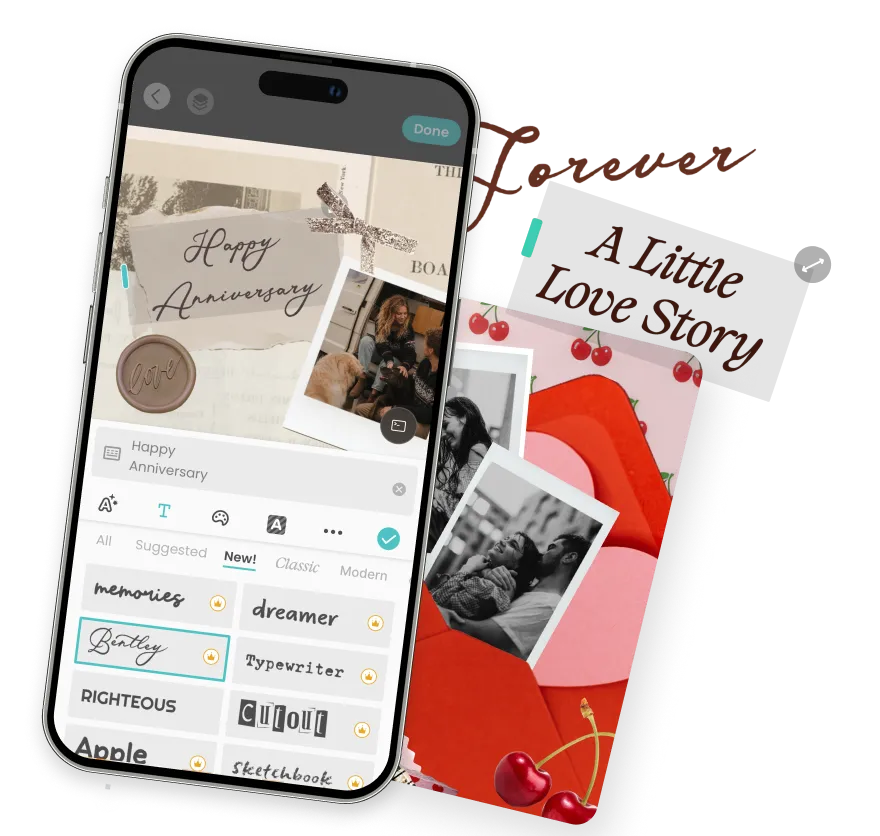

Hundreds of Fonts, Built Into PicCollage
The PicCollage text editor gives you a full font library and the tools to style every word. Cursive, bold, handwritten, cute, elegant. Make your photos and collages say exactly what you mean, exactly how you want. Free on iOS and Android.
Hundreds of Fonts, Built Into PicCollage
The PicCollage text editor gives you a full font library and the tools to style every word. Cursive, bold, handwritten, cute, elegant. Make your photos and collages say exactly what you mean, exactly how you want. Free on iOS and Android.

Why Change Your Collage Background in PicCollage
Why Change Your Collage Background in PicCollage
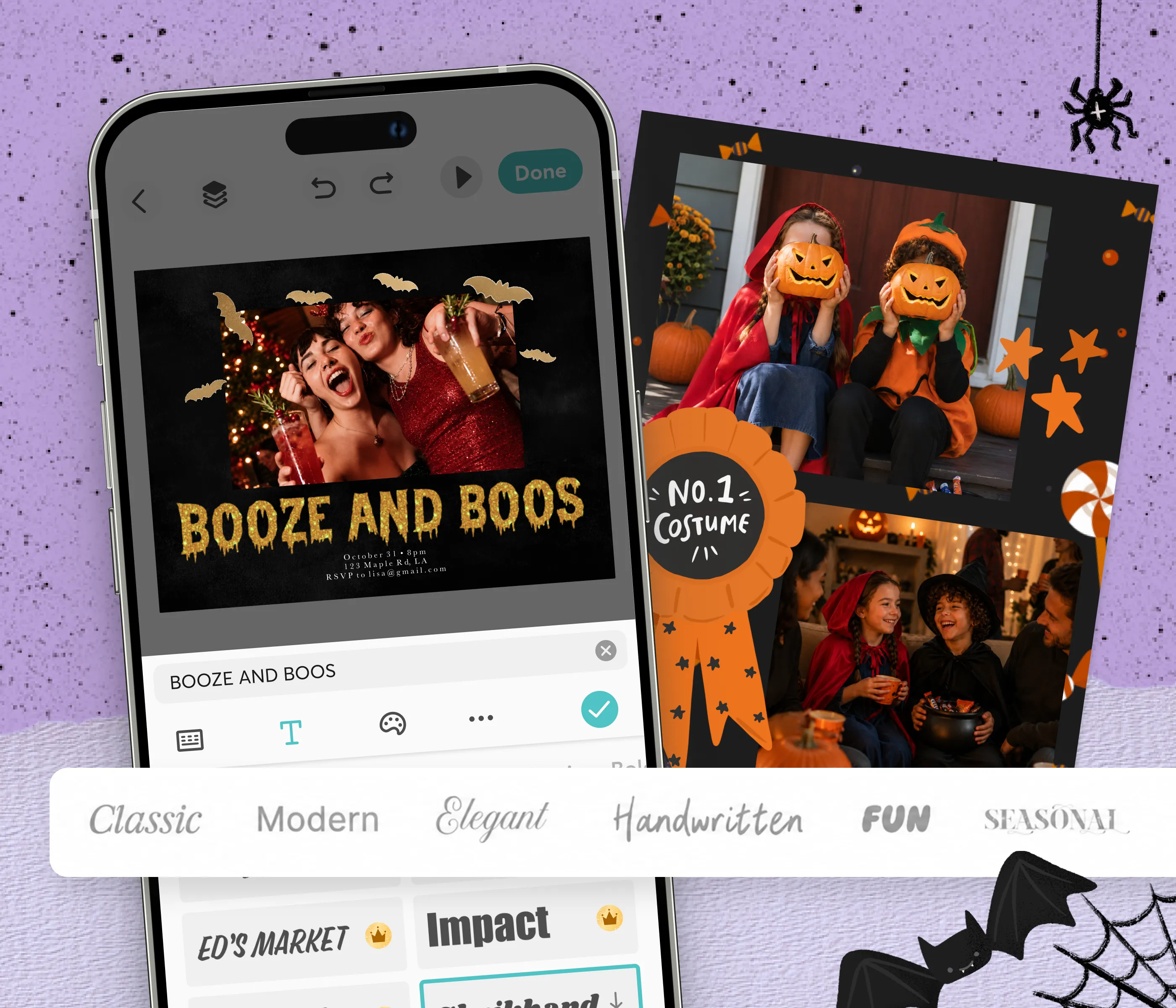
A Font for Every Style
Hundreds of fonts built right into the app: cursive, bold, handwritten, serif, playful, elegant
Free fonts for everyday projects, plus a premium library for even more variety
Preview every font live on your text and switch with a single tap
A Font for Every Style
Hundreds of fonts built right into the app: cursive, bold, handwritten, serif, playful, elegant
Free fonts for everyday projects, plus a premium library for even more variety
Preview every font live on your text and switch with a single tap

A Text Editor That Does More
A large free library that covers most styles and occasions
Exclusive VIP background packs for members who want more variety
Fresh designs and seasonal collections added throughout the year
A Text Editor That Does More
A large free library that covers most styles and occasions
Exclusive VIP background packs for members who want more variety
Fresh designs and seasonal collections added throughout the year
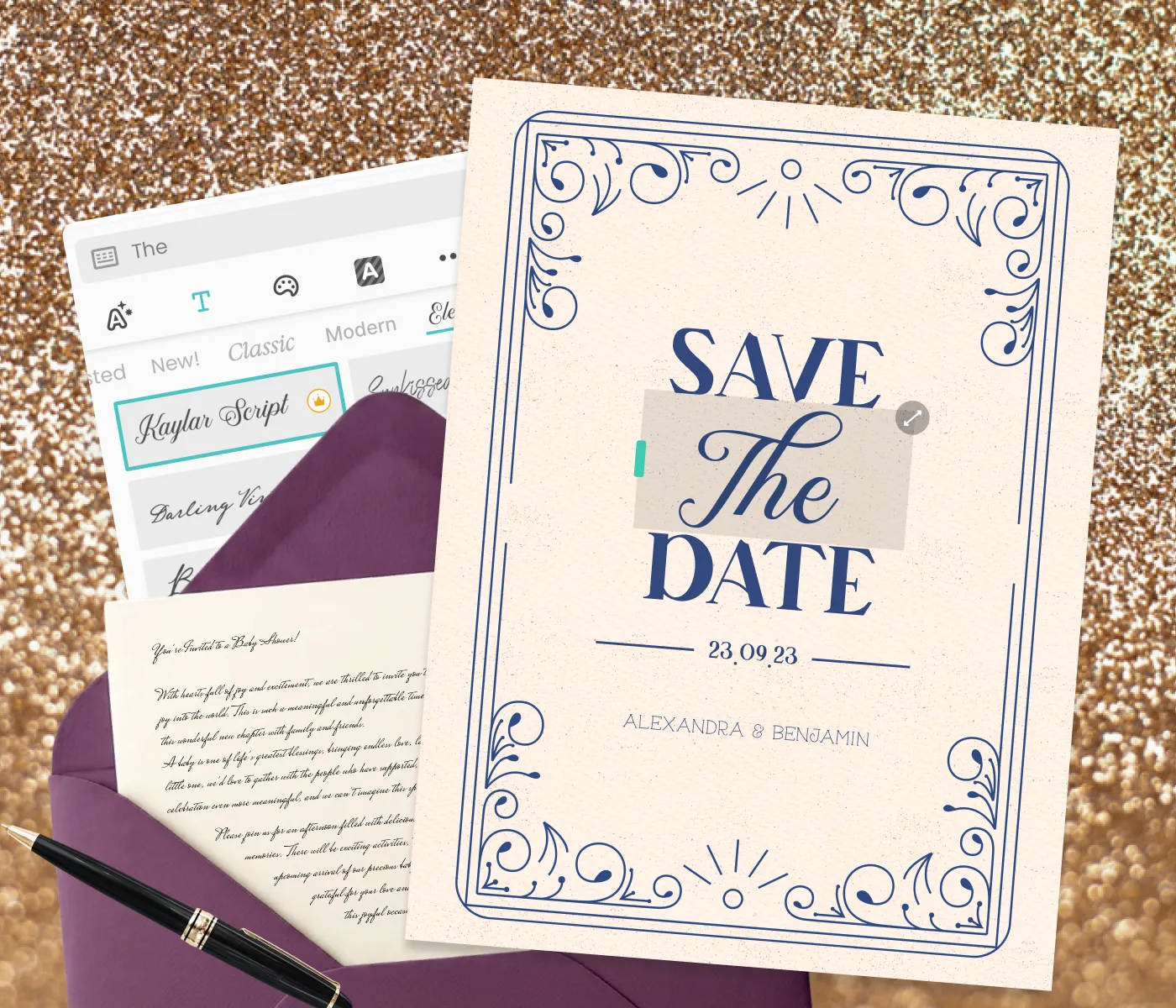
Made for Photos, Stories, and Collages
Style captions for Instagram, Stories, and posts before you share
Add headers, quotes, and labels to collages, cards, and invitations
Save in full resolution with your fonts and effects baked right in
Made for Photos, Stories, and Collages
Style captions for Instagram, Stories, and posts before you share
Add headers, quotes, and labels to collages, cards, and invitations
Save in full resolution with your fonts and effects baked right in
Made for Photos, Stories, and Collages
Made for Photos, Stories, and Collages
Most photo grid apps lock you into rigid templates. You pick the layout, fill in the boxes, and that's it. If the proportions feel off or the spacing is wrong, too bad. PicCollage works differently.
In PicCollage, the photo grid is a starting point, not a cage. Drag photos to resize them inside the grid. Adjust the spacing between cells until it feels right. Add a colored background or a custom border. Swap photos around without restarting. The grid bends to what you want, not the other way around.
People come for a photo grid maker and stay because the app does everything else too. Collages, cards, invitations, social media graphics, wall art. The grid is one feature in a creative toolkit that handles the rest of your visual projects in the same place.
Most photo grid apps lock you into rigid templates. You pick the layout, fill in the boxes, and that's it. If the proportions feel off or the spacing is wrong, too bad. PicCollage works differently.
In PicCollage, the photo grid is a starting point, not a cage. Drag photos to resize them inside the grid. Adjust the spacing between cells until it feels right. Add a colored background or a custom border. Swap photos around without restarting. The grid bends to what you want, not the other way around.
People come for a photo grid maker and stay because the app does everything else too. Collages, cards, invitations, social media graphics, wall art. The grid is one feature in a creative toolkit that handles the rest of your visual projects in the same place.

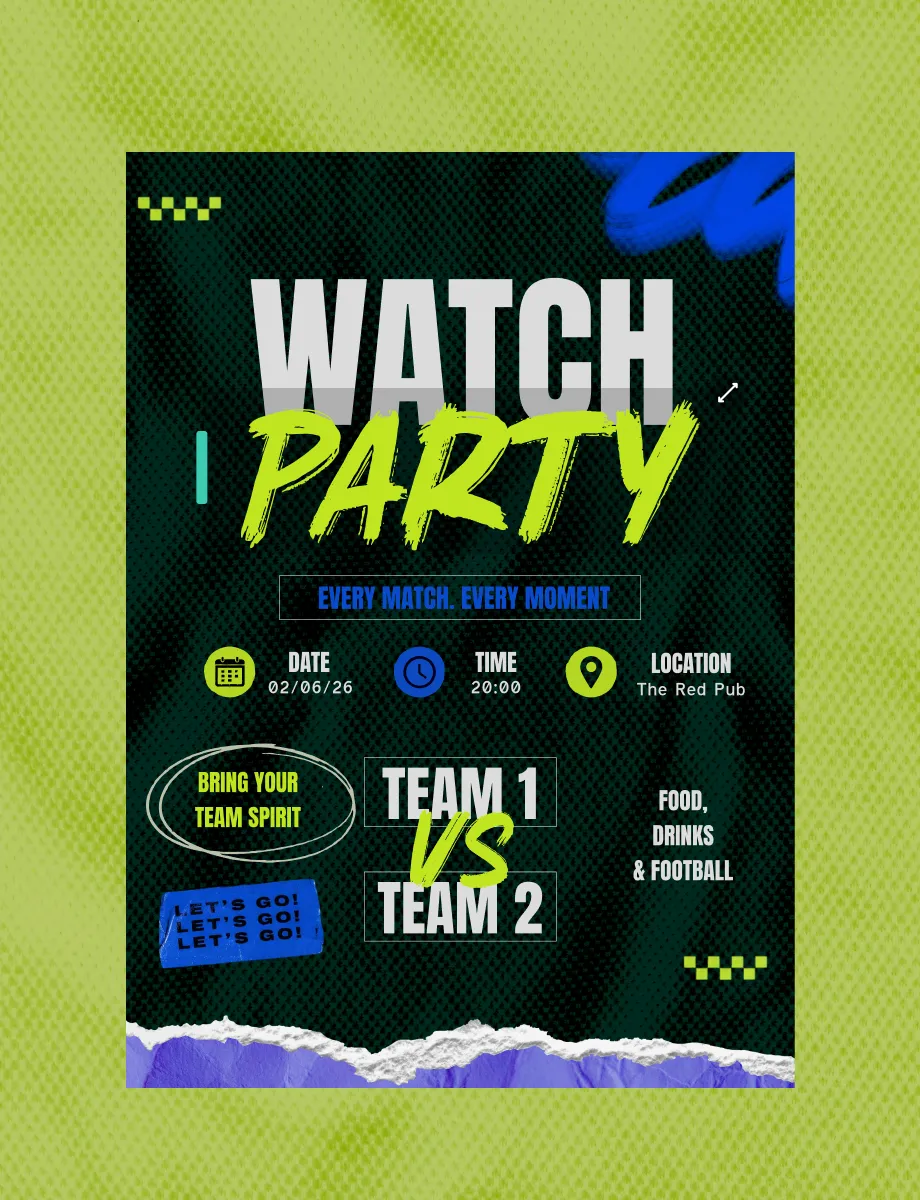
A Text Editor That Goes Beyond Basic Captions
Picking a font is only the start. The PicCollage text editor gives you real control over how that font looks on your image, and that control is what separates a styled photo from a plain one.
Set any color to match your palette or your brand. Add an outline so light text stays sharp against a busy background. Drop a shadow to lift the words off the image and give them depth. Adjust the opacity for a subtle watermark effect, or a colored highlight to make a caption pop like a marker on paper. Tighten or loosen the letter spacing and line height until the text sits exactly right.
You can curve text along an arc, rotate it to any angle, and resize it from a tiny corner credit to a full-frame headline. Every text box is independent, so you can layer several together, each with its own font, color, and effect, to build a real typographic composition instead of a single flat caption. Nothing is locked into a fixed position. The whole canvas is yours to arrange.

Style Your Photos with Fonts on iPhone or Android
The full font library and text editor work identically on both platforms. Download PicCollage, add a text box to your photo, choose a font, style it, and save the finished image to your camera roll.
On iPhone, this is a big step up from the single font and bare-bones controls in the built-in Photos markup. PicCollage gives you hundreds of fonts, full color and effect controls, and the freedom to layer and position text anywhere. If you've ever wanted custom fonts or cute fonts to style a photo on iPhone, they live here inside the app, applied to your creations rather than installed on your device.
On Android, the experience is the same. Same font library, same text editor, same effects, same full-resolution output. Pick your fonts and style your photos and collages exactly as you would anywhere else.
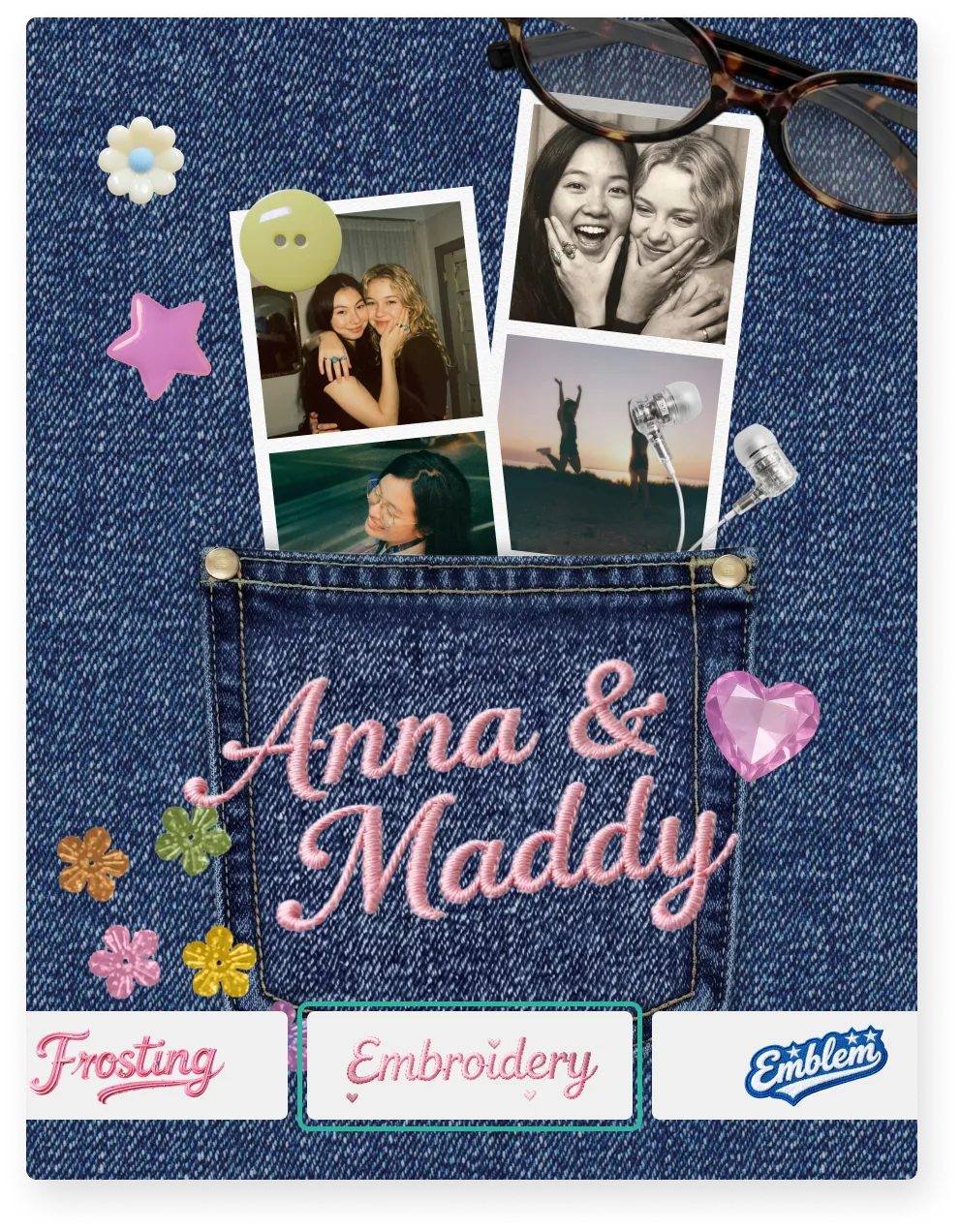
Free Fonts and Premium Fonts are Available in Our Photo Editing App
PicCollage ships with a large library of free fonts spanning every common style: sans-serif, serif, cursive, handwritten, bold display, and more. For most projects, the free fonts have you fully covered. Style photos, add collage headers, and design quote graphics without paying a thing.
For people who want an even deeper selection, premium fonts expand the library with more decorative scripts, unique display faces, and specialty styles for specific aesthetics. Premium fonts come with the PicCollage subscription, alongside premium stickers, templates, backgrounds, and other extras.
Either way, the entire text editor, including color, outlines, shadows, spacing, curving, and layering, is available to everyone. The premium tier adds font variety, not core features. Most people make everything they need with the free library.
Birthday Card Ideas When You Don't Know Where to Start
Content
Digital Scrapbooking vs. Physical Scrapbooking
Picking a font is only the start. The PicCollage text editor gives you real control over how that font looks on your image, and that control is what separates a styled photo from a plain one.
Set any color to match your palette or your brand. Add an outline so light text stays sharp against a busy background. Drop a shadow to lift the words off the image and give them depth. Adjust the opacity for a subtle watermark effect, or a colored highlight to make a caption pop like a marker on paper. Tighten or loosen the letter spacing and line height until the text sits exactly right.
You can curve text along an arc, rotate it to any angle, and resize it from a tiny corner credit to a full-frame headline. Every text box is independent, so you can layer several together, each with its own font, color, and effect, to build a real typographic composition instead of a single flat caption. Nothing is locked into a fixed position. The whole canvas is yours to arrange.
A Text Editor That Goes Beyond Basic Captions
Picking a font is only the start. The PicCollage text editor gives you real control over how that font looks on your image, and that control is what separates a styled photo from a plain one.
Set any color to match your palette or your brand. Add an outline so light text stays sharp against a busy background. Drop a shadow to lift the words off the image and give them depth. Adjust the opacity for a subtle watermark effect, or a colored highlight to make a caption pop like a marker on paper. Tighten or loosen the letter spacing and line height until the text sits exactly right.
You can curve text along an arc, rotate it to any angle, and resize it from a tiny corner credit to a full-frame headline. Every text box is independent, so you can layer several together, each with its own font, color, and effect, to build a real typographic composition instead of a single flat caption. Nothing is locked into a fixed position. The whole canvas is yours to arrange.
Sweet 16 Birthday Cards Made with Photos from the Year
Content
Style Your Photos with Fonts on iPhone or Android
The full font library and text editor work identically on both platforms. Download PicCollage, add a text box to your photo, choose a font, style it, and save the finished image to your camera roll.
On iPhone, this is a big step up from the single font and bare-bones controls in the built-in Photos markup. PicCollage gives you hundreds of fonts, full color and effect controls, and the freedom to layer and position text anywhere. If you've ever wanted custom fonts or cute fonts to style a photo on iPhone, they live here inside the app, applied to your creations rather than installed on your device.
On Android, the experience is the same. Same font library, same text editor, same effects, same full-resolution output. Pick your fonts and style your photos and collages exactly as you would anywhere else.
What to Write in a Birthday Card
Content
Style Your Photos with Fonts on iPhone or Android
The full font library and text editor work identically on both platforms. Download PicCollage, add a text box to your photo, choose a font, style it, and save the finished image to your camera roll.
On iPhone, this is a big step up from the single font and bare-bones controls in the built-in Photos markup. PicCollage gives you hundreds of fonts, full color and effect controls, and the freedom to layer and position text anywhere. If you've ever wanted custom fonts or cute fonts to style a photo on iPhone, they live here inside the app, applied to your creations rather than installed on your device.
On Android, the experience is the same. Same font library, same text editor, same effects, same full-resolution output. Pick your fonts and style your photos and collages exactly as you would anywhere else.
01
📱 Download PicCollage
Get the app free from the App Store or Google Play. No account, no credit card, no sign-up. The whole grid maker opens the moment you tap to start.
02
📸 Select Your Photos
Pick a few photos from your camera roll. The app suggests grid layouts based on how many you select. Two photos get side-by-side options. Nine photos suggest a 3×3 grid. The math is handled for you.
03
🎨 Adjust the Grid and Save
Tap a layout to apply it, then customize. Change spacing, swap photos, adjust borders, add color, drop in text or stickers. When it looks right, save in high resolution. Post it, print it, or send it. The whole process takes under five minutes.
How to Make a Photo Grid in PicCollage
Learn how to create grids in minutes. No experience required.
Frequently Asked Questions
Frequently Asked Questions
How many fonts does PicCollage have?
The PicCollage text editor includes hundreds of fonts across every common style: cursive, bold, handwritten, serif, sans-serif, decorative, and more. Most are free, and a premium font library with additional styles is available with a subscription.
Are the PicCollage fonts free?
The core font library is free and covers the vast majority of styles and use cases. A larger premium selection comes with the PicCollage VIP subscription for people who want more variety. The full text editor (color, outlines, shadows, curving, spacing, layering) is free for everyone.
Can I use custom or cute fonts to style a photo on iPhone and Android?
Yes. PicCollage is one of the most popular ways to add custom, cute, and cursive fonts to photos on iPhone and Android. Add a text box, type, and pick from hundreds of fonts, then style with color, outlines, and shadows. Download free from the App Store or Play Store.
Can I use these fonts to change my iPhone or Android system fonts?
No. PicCollage fonts are for styling the text you add to your photos, collages, and designs inside the app. They don't change your phone's keyboard font or system interface. Think of them as design fonts for your creations, not device fonts.
What can the text editor do besides change the font?
A lot. Set any color, add outlines and shadows, adjust opacity, add a highlight behind your text, tighten or loosen spacing, curve text along an arc, rotate it, resize it, and layer multiple text boxes with different fonts. Every setting is adjustable on every piece of text.